
Access control → Users manages the accounts in your organization: which department they belong to, whether they can sign in, and password resets.
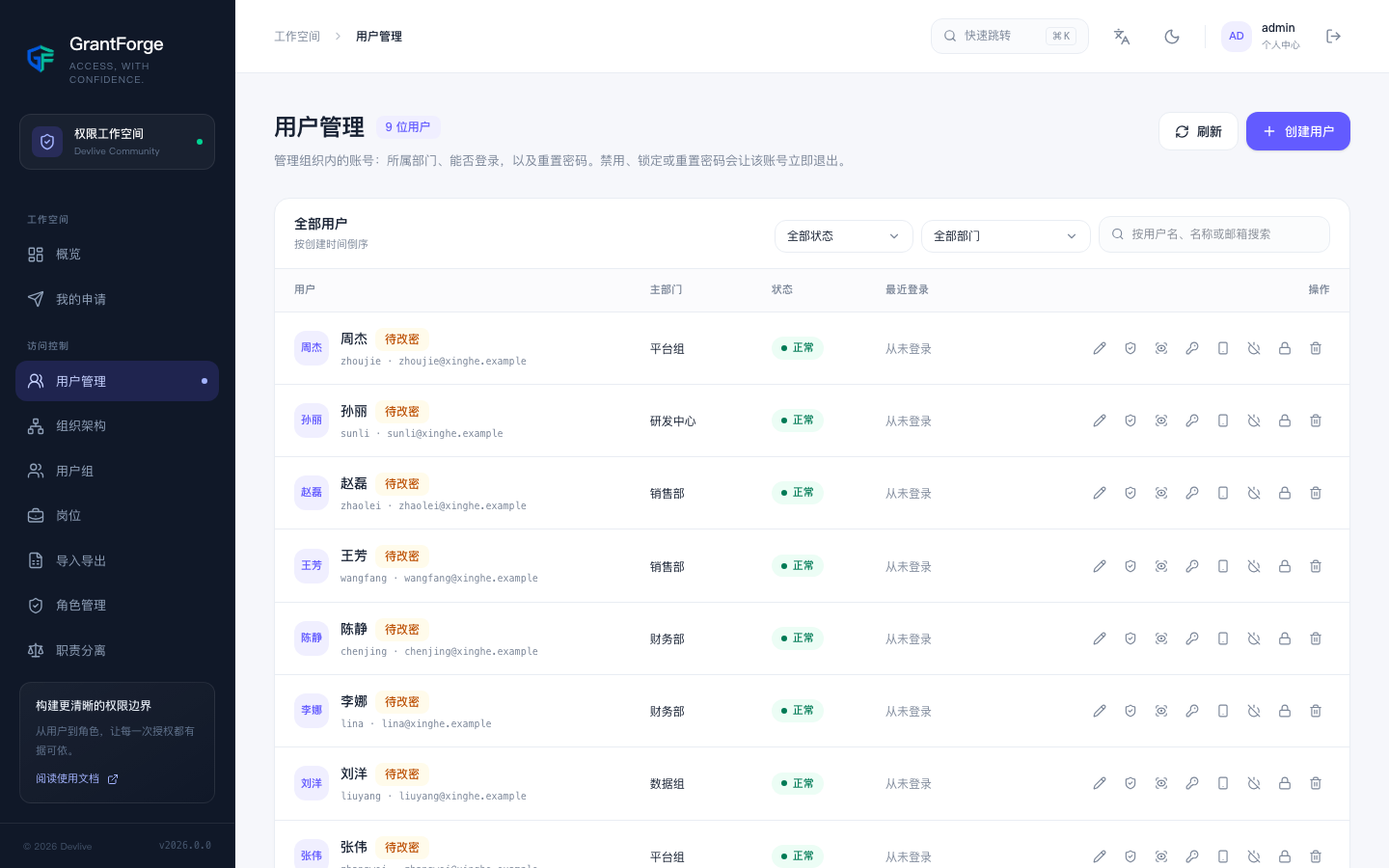
Search
Search by username, display name, or email; filter by status (active, disabled, locked, password change pending) and by department, with an option to include sub-departments. The list only shows accounts your data permissions allow you to see, and fields such as email may be hidden or masked according to your field permissions.
Creating and editing
Creating a user requires a username (3–64 letters, digits, or ._@-, unique across the platform), an initial password, a display name, an email, a primary department, secondary departments, and positions. New accounts must change their password on first sign-in.
Account actions
| Action | Effect |
|---|---|
| Disable / enable | A disabled account cannot sign in, and its existing sessions end immediately |
| Lock / unlock | A lock set by an administrator is not lifted automatically; sign-in shows a message to contact an administrator. Use when an account is suspected of being compromised |
| Reset password | Sets a new initial password that the user must change at the next sign-in; existing sessions end |
| Reset two-step verification | For a lost authenticator: turns off two-step verification for the account and ends its sessions |
| View roles | The roles the account holds and the source of each one (direct assignment, group, department, position) |
| View effective permissions | See Permission explanation, impersonation, and audit |
| Delete | Deletes the account and its department memberships; audit records are kept |
The system account (the administrator created during initialization) and your own account cannot be disabled, locked, or deleted.
Self-service registration
Disabled by default. After setting grantforge.security.registration-enabled=true, a "Create account" entry appears on the sign-in page. Registered accounts join the tenant specified by grantforge.security.registration-tenant as ordinary accounts with no roles.