
Access control → Identity sources configures the directories or identity providers users can sign in with. Passwords for these accounts are stored in the identity source; GrantForge neither stores them nor can change them.
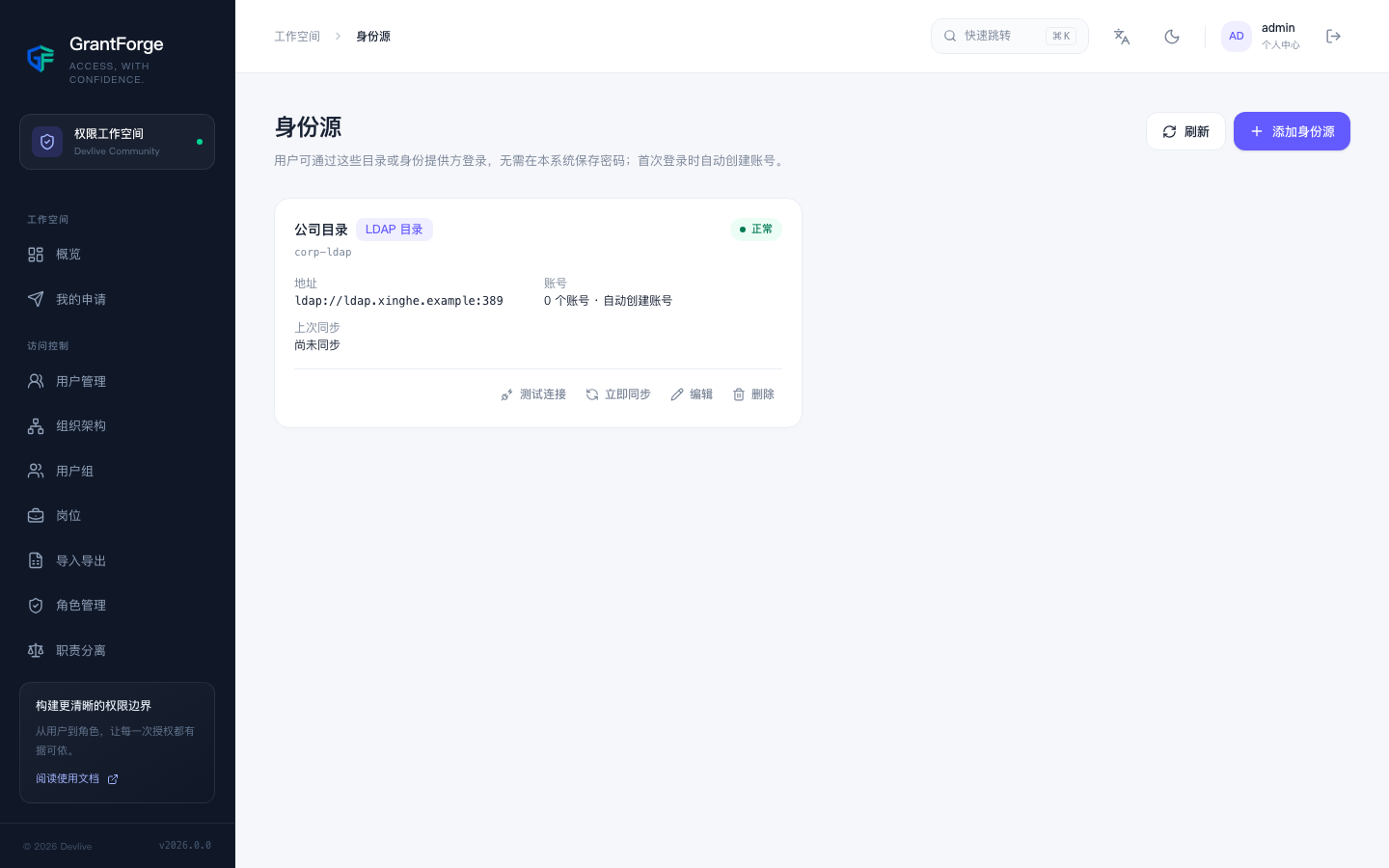
LDAP / Active Directory
Click "Add identity source" and choose the type "LDAP directory":
| Setting | Description |
|---|---|
| Directory URL | ldap:// or ldaps://; separate multiple addresses with spaces for failover |
| User Base DN | For example ou=people,dc=example,dc=com |
| Query account | An account (Bind DN) and its password used to look up users; leave empty for anonymous queries |
| User filter | Defaults to (&(objectClass=person)(uid={0})), where {0} is the name the user entered |
| Attributes | Attributes for username, display name, email, and unique identifier; the defaults fit OpenLDAP (uid, cn, mail, entryUUID), while Active Directory uses sAMAccountName and objectGUID |
| Automatically create accounts for new users | When enabled, a user in the directory gets an account on first sign-in |
| Sync interval | Leave empty for manual sync only; minimum 15 minutes |
| Disable accounts of users no longer in the directory | During sync, disable users that no longer exist in the directory |
After saving, click Test connection to confirm the configuration is correct.
At sign-in, GrantForge first looks up the user with the query account, then verifies the password by binding to the directory as that user with the password the user entered.
Sync creates accounts for new users in the directory, updates the names and emails of existing accounts, and — according to the setting — disables users who have left (ending their sessions at the same time). Sync results are shown on the identity source card.
OpenID Connect
Choose the type "OpenID Connect" to connect Keycloak, Azure AD, Okta, another GrantForge instance, and more:
| Setting | Description |
|---|---|
| Issuer URL | The provider's issuer address; GrantForge discovers endpoints and keys from its discovery document |
| Client ID / secret | The client registered with the provider; without a secret it acts as a public client using PKCE |
| Redirect URI | The <GrantForge>/api/v1/auth/federated/callback/<编码> shown on the page; it must be registered on the provider's client |
| Scopes and claims | Defaults to openid profile email; username, display name, and email are taken from the preferred_username, name, and email claims respectively |
Once enabled, a "Sign in with " button appears on the sign-in page. After signing in at the provider, the user returns to GrantForge; accounts with two-step verification enabled must also enter a verification code.
Account rules
- An identity source user's unique identifier (
entryUUID/objectGUIDfor LDAP,subfor OIDC) maps to one GrantForge account; renaming does not affect the mapping. - If a local account with the same username already exists, it is not automatically linked — sign-in is rejected, and an administrator must first rename or delete the local account. This prevents a same-named user in the directory from taking over an existing account.
- An identity source that does not automatically create accounts only lets already-linked users sign in.
- After an identity source is disabled, its users cannot sign in; an identity source still used by accounts cannot be deleted.
- Identity source accounts can be assigned roles and enable two-step verification as usual.