
Data permissions decide which rows of each kind of data the holders of a role can read, modify, delete or export. Click Data Permissions on the role row to configure them.
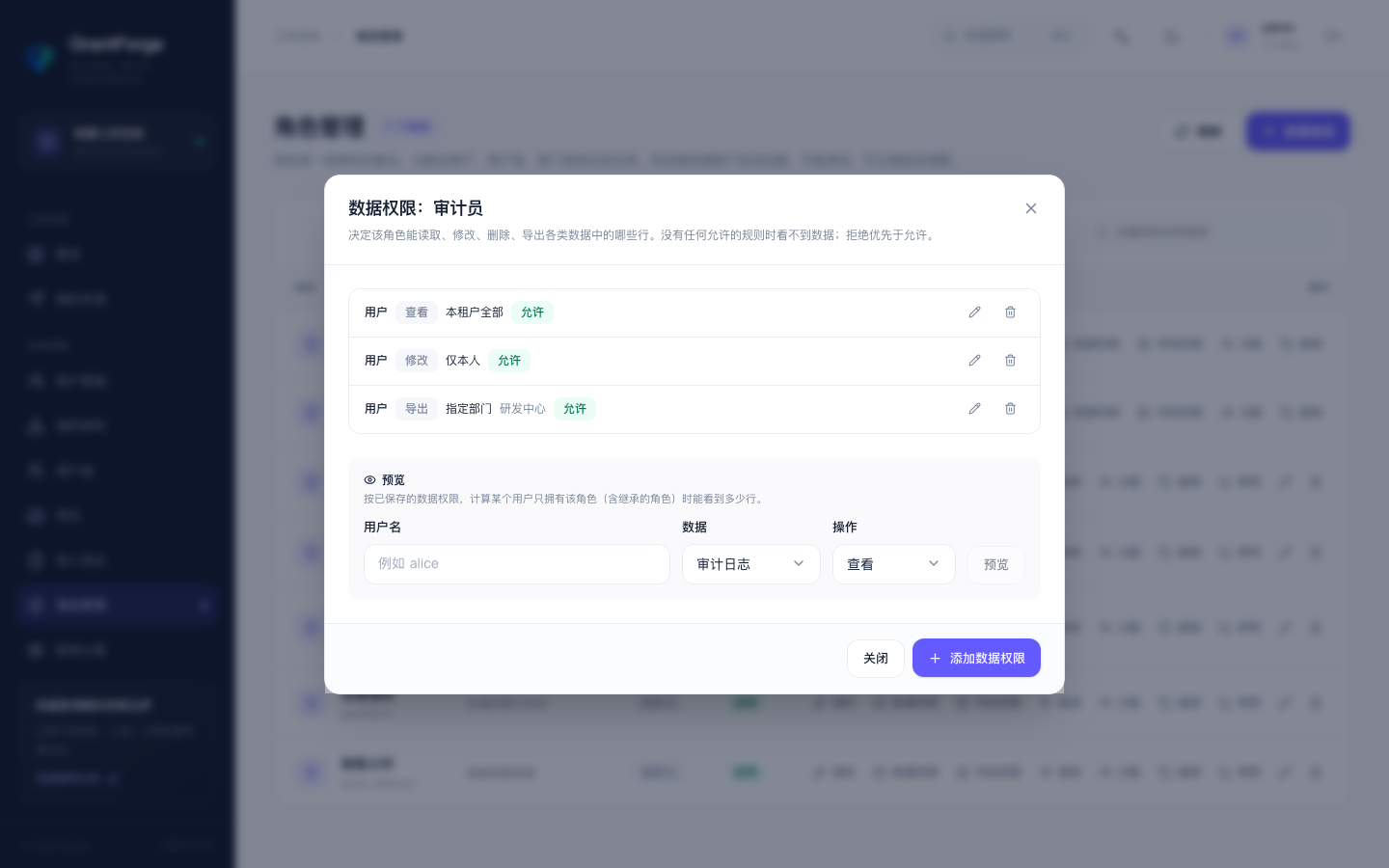
Rules
Each rule consists of four parts:
| Part | Options |
|---|---|
| Data entity | Users, departments, user groups, positions, audit events, plus entities declared by business applications (such as shop:order) |
| Action | View, modify, delete, export |
| Scope | All tenants (only for roles of the platform tenant), everything in this tenant, this department and below, this department, specified departments, own records only, by condition |
| Effect | Allow or deny |
Merging rules:
- Without any allow rule, no data is visible.
- Deny takes precedence over allow: any row matched by a deny rule is unavailable.
- Rules from all of a person's roles take effect together: allows are unioned, and so are denies.
- System roles imply the corresponding scope (the Tenant Administrator gets everything in this tenant), except for entities of business applications.
By condition
When the scope is "by condition", combine conditions in the condition editor:
- Compare entity fields, for example "status equals active" or "last login earlier than the current time". Text supports contains and starts with; numbers and timestamps support greater/less comparison; in, not in, is empty and is not empty are also supported.
- A value can be a fixed value or an attribute of the current user: own ID, username, department, user groups, positions, and the current time.
- Conditions can be grouped with "match all / match any", negated, and nested up to 4 levels deep.
Preview
Pick a user in the editor and click Preview to see how many rows this role's rules let that user see, and exactly which ones.
Where it takes effect
The user, department, user group and position lists and details in the console, import/export and the audit log all respect data permissions; invisible rows do not appear in lists, and accessing one directly by ID returns "not found". Business applications get the same rules through the Java SDK or the Open API.