
Field permissions decide how the holders of a role see and modify each controlled field. Click Field Permissions on the role row to configure them.
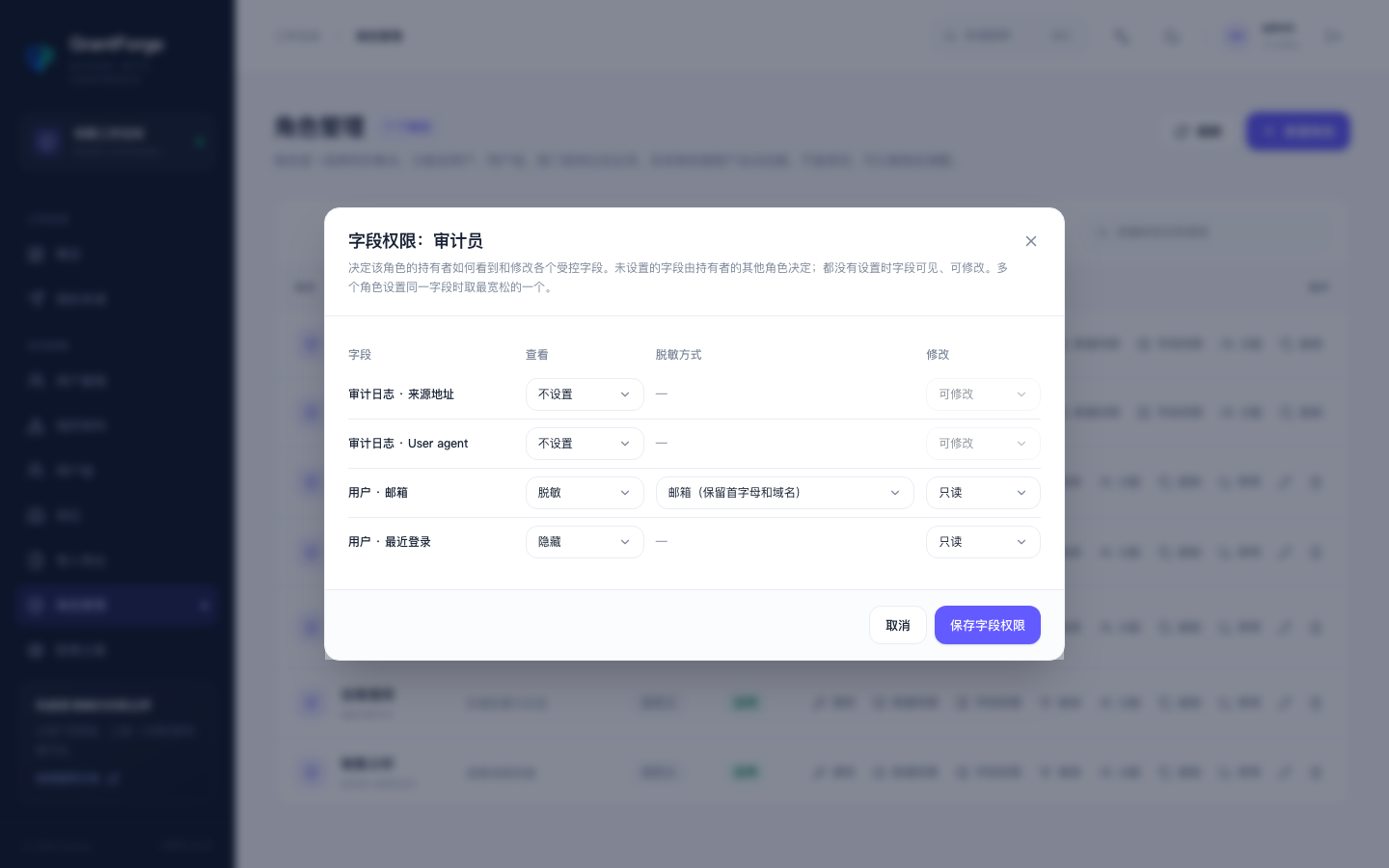
Viewing
| Mode | Effect |
|---|---|
| Visible | Shows the original value |
| Masked | Partially hides the value according to the masking style: email (keeps the first letter and the domain), phone number (138***5678), ID number (keeps the first 6 and last 4 digits), keep first and last characters, hide everything |
| Hidden | The field is not returned at all, and the column is not shown in lists |
Modification
| Mode | Effect |
|---|---|
| Editable | Can be filled in and modified |
| Read-only | Disabled in forms; modifying it by calling the API directly returns an error naming the field |
Merging rules
- Fields without a setting are decided by the holder's other roles; when no role sets the field, it is visible and editable.
- When several roles set the same field, the most permissive setting wins (visible > masked > hidden, editable > read-only).
- Search and export also respect field permissions: hidden fields cannot be used for searching, and exports hide or mask them according to the rules.
Controlled fields
Controlled fields are declared in server-side code (currently a user's email and last login time), and Platform Administration → Resource Catalog lists which APIs they appear in. Business applications can implement field control for their own entities; the rules are likewise fetched from the Open API.