
Access Control → Role Management: A role is a collection of grants. It takes effect once assigned to users, user groups, departments or positions.
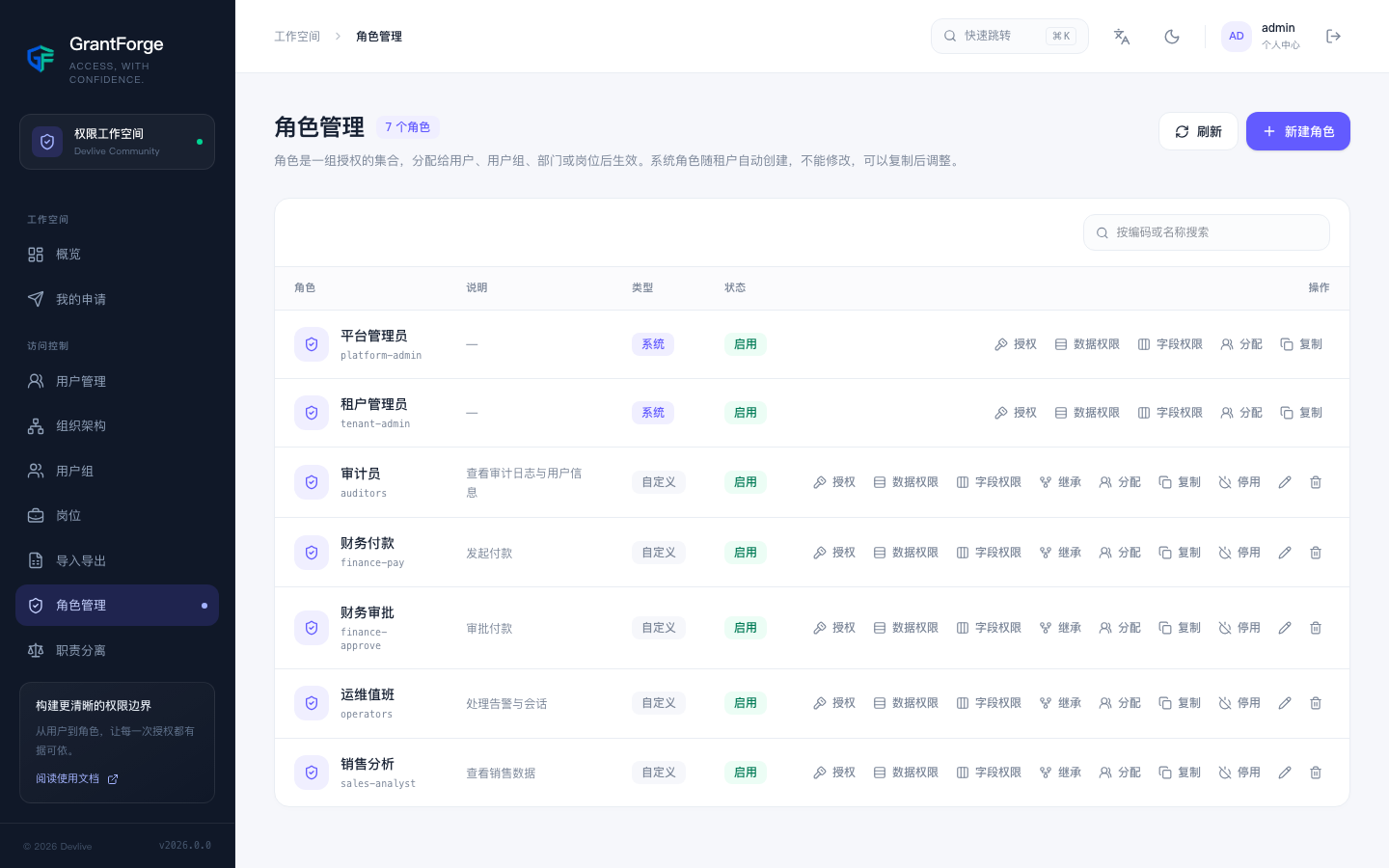
System roles and custom roles
Every tenant has the Tenant Administrator system role, and platform tenants also have the Platform Administrator role. System roles automatically own every resource in their module and cannot be modified; when you need similar but narrower permissions, duplicate the system role and edit the copy.
A custom role has a code (lowercase letters, digits, dots, hyphens or underscores) and a name, and can be disabled: a disabled role grants no permissions and passes nothing along through inheritance.
Grants
Click Grant on a role row to open the grant matrix:
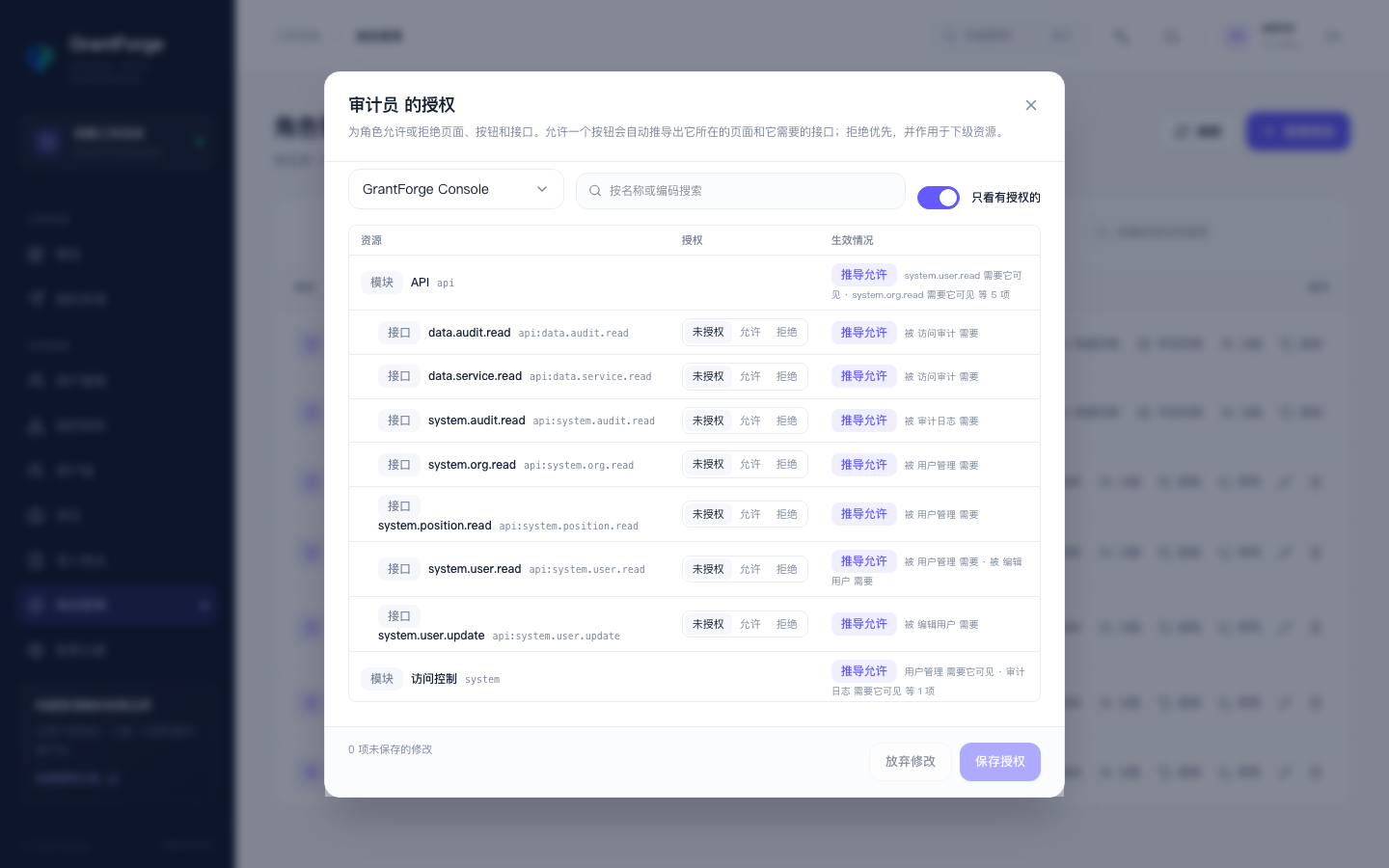
- Switch between applications and expand resources as a directory tree; each resource can be set to "allow" or "deny".
- Allowing a button automatically derives the page it belongs to and the APIs it needs, so you do not have to tick them one by one. Derived resources are marked in the matrix.
- Deny takes precedence and applies to subordinate resources: deny a page and its buttons are unavailable even if another role allows them.
- You can only grant permissions you hold yourself, which prevents privilege escalation. Holders of a system role can grant any resource of business applications.
Before saving, GrantForge shows the impact of the change: which resources become available or unavailable, and how many users hold the role.
Inheritance
Click Inherit and choose which roles this role inherits from: it receives everything the inherited roles allow and deny, plus what they inherit in turn. Inheritance cannot form a cycle, and you can only inherit permissions you hold yourself. This suits layered relationships such as "manager = employee + approver".
Assignment
Click Assign to assign the role to:
| Target | Description |
|---|---|
| User | Grants the role directly to an account |
| User group | Every member of the group gets the role |
| Department | Department members get the role, optionally "include sub-departments" |
| Position | Whoever holds the position gets the role |
Each assignment can have a start time and an end time; it expires automatically at the end time, which suits temporary grants. Users can also request time-limited roles themselves through access requests and approvals.
Assignments and grants are subject to separation of duties: an assignment that would give one person mutually exclusive roles is rejected.
Data permissions and field permissions
Data Permissions and Field Permissions on the role row determine which rows holders can see, how they see them, and which fields they can modify. See data permissions and field permissions.
Duplication and deletion
Duplicate copies the role together with its grants, data permissions and field permissions. Deleting a role also deletes its assignments, grants and policies, and cannot be undone.